If your app still displays the “Activate” button and some features remain locked, please follow these steps in order.
1
Refresh your activation status
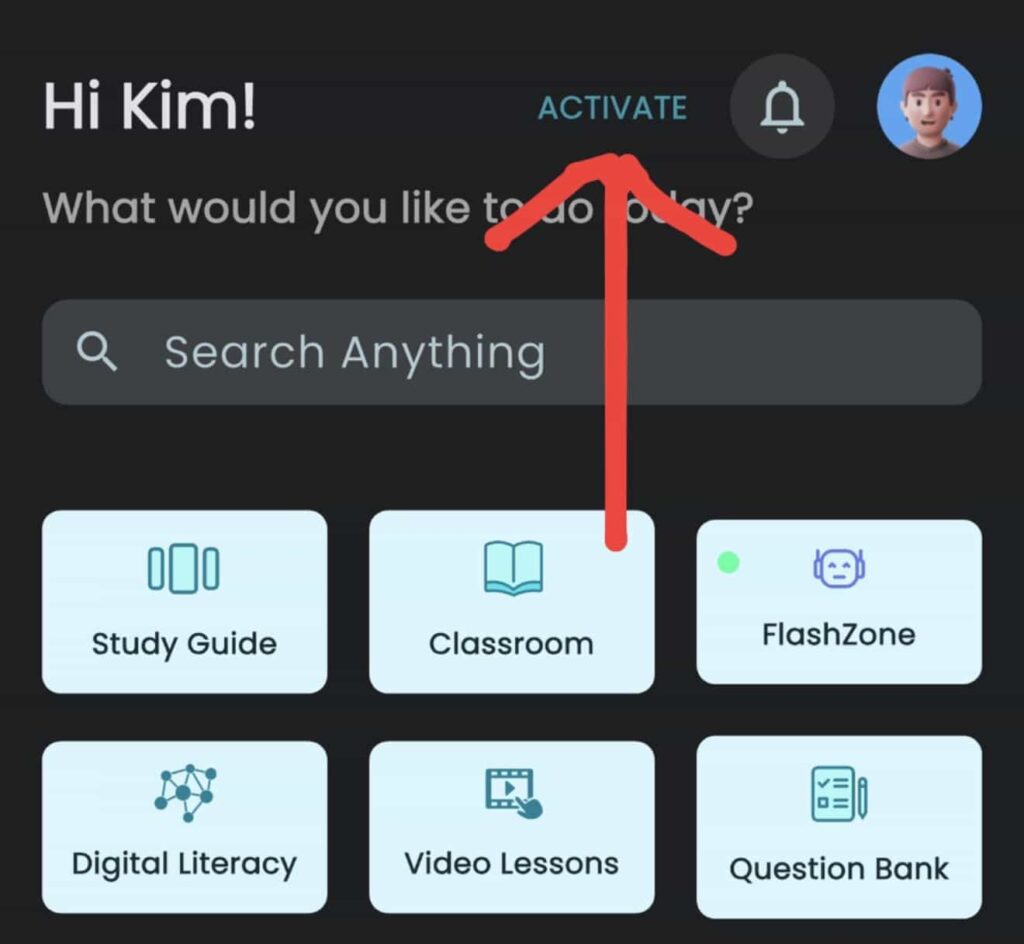
- Tap the Activate App button at the top of the app’s homepage.
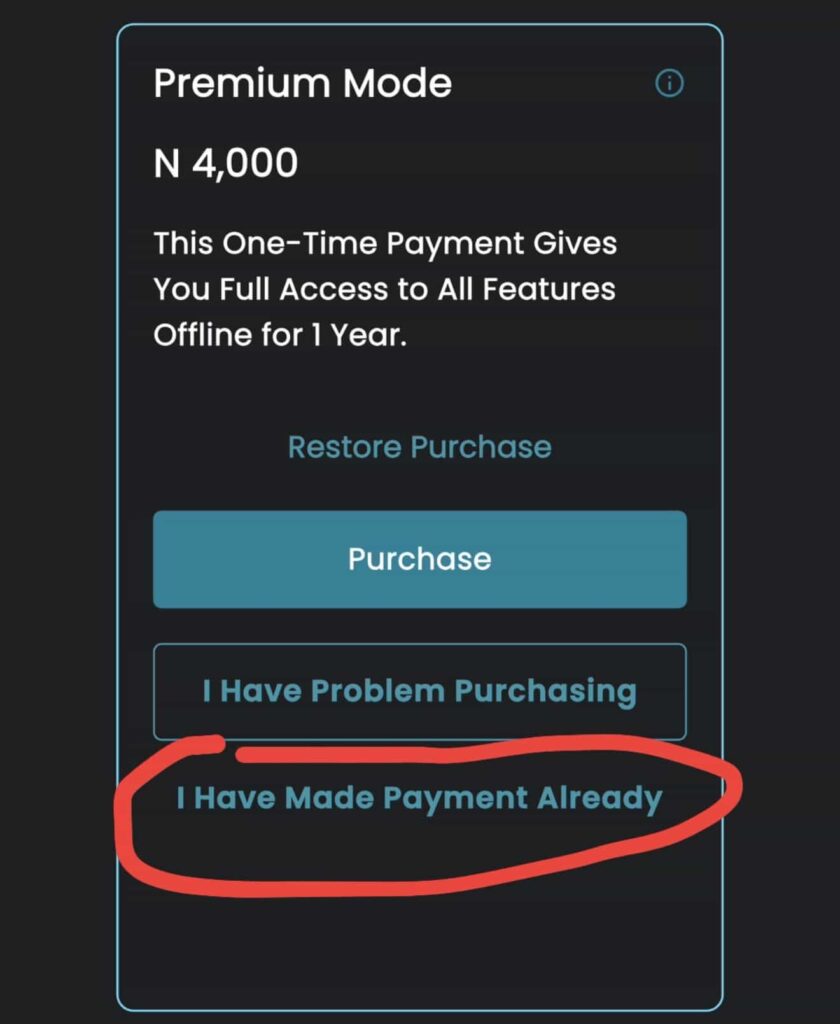
- Select “I have made payment already.”
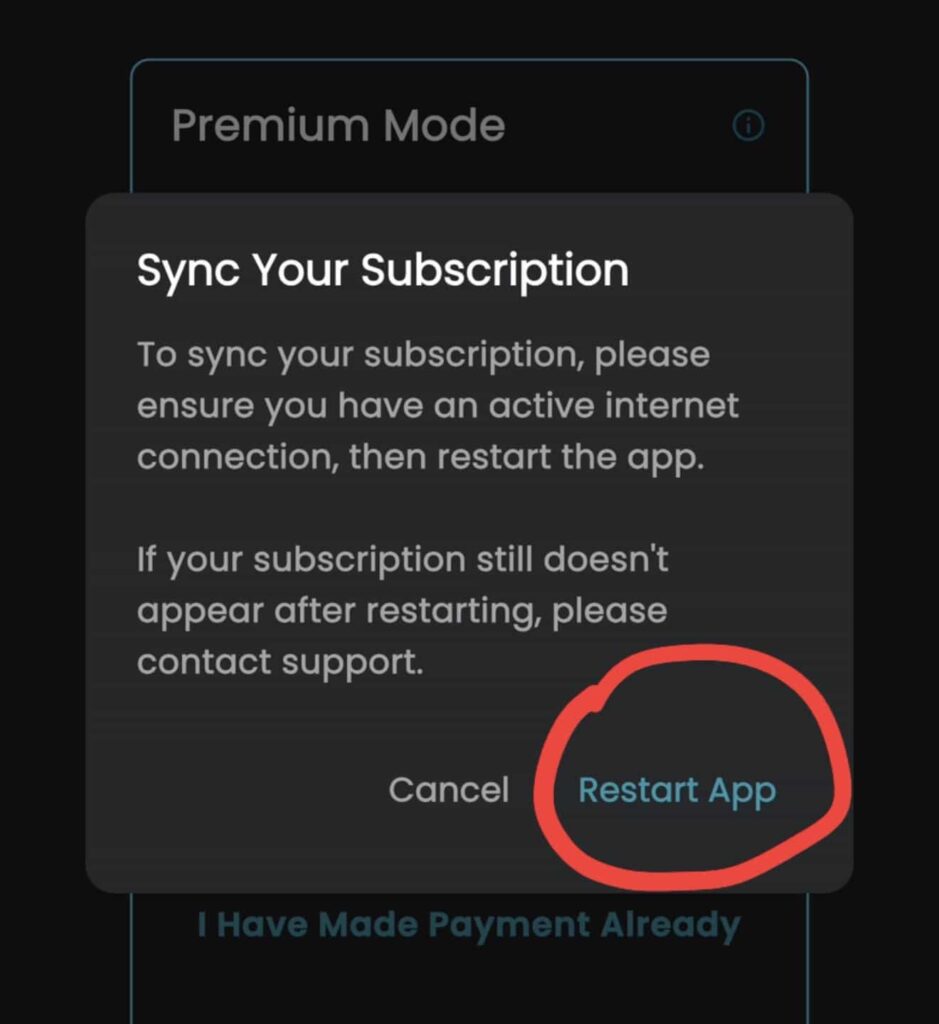
- Tap the Restart button.
— If the issue persists, move on to Step 2 —
2
Check that you’re logged in with the correct email
The app activates the specific email address you submitted during payment. If you’re logged in with a different email, features will stay locked.
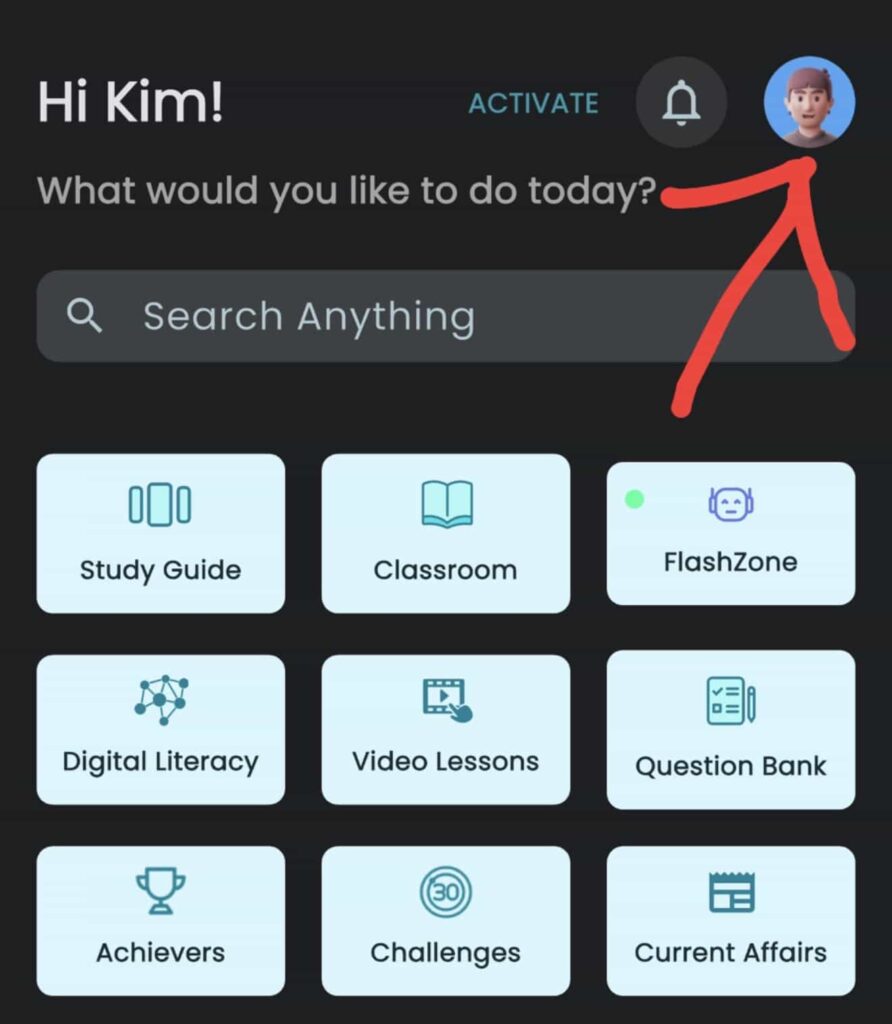
- Tap the avatar icon at the top right of the FlashLearners homepage to view your registered email.
- Compare it with the email address you sent us for activation.
- If they don’t match, log out and log back in using the correct email.
Still having trouble after both steps? Contact our technical support team with your registered email and proof of payment, and we’ll sort it out for you.